Email campaigns that respect consent.
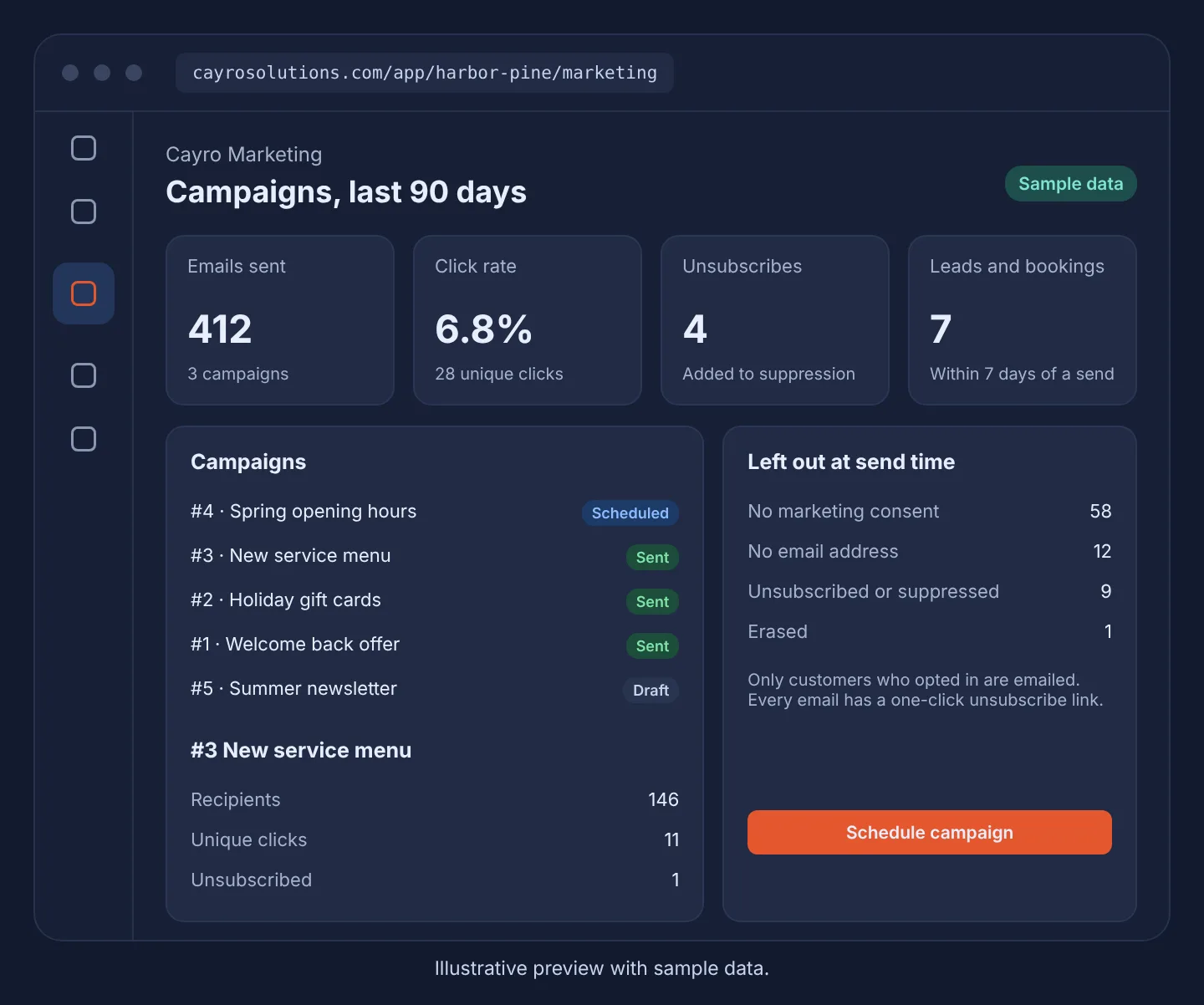
Write a campaign, pick a Connect segment and schedule it. Only customers who opted in receive it, and every email can be unsubscribed in one click.
Cayro Marketing · Marketing
How it works
- Step 1
Write
Start from a template, add a button and preview the email.
- Step 2
Choose
Send to all customers or a saved Connect segment.
- Step 3
Schedule
Cayro emails only people who opted in, in small batches.
- Step 4
Learn
See clicks, unsubscribes and leads or bookings within 7 days.
What it can do
- Consent checked against the Connect consent ledger at send time
- One-click unsubscribe in every email
- Your business name and postal address in the footer
- Suppression list that's never emailed
- A calendar of scheduled and sent campaigns
- No open-tracking pixel
Who it's for
Businesses already using Cayro Connect that want to email customers who asked to hear from them, without a separate email tool.
Frequently asked questions
Who receives a campaign?
Only customers with an email address and granted marketing consent in Cayro Connect who haven't unsubscribed or been erased. Everyone else is left out and counted by reason.
Do you track email opens?
No. Cayro Marketing doesn't use a tracking pixel. It reports clicks, unsubscribes and leads or bookings within 7 days of a send.
Can I build landing pages or send SMS?
Not yet. This first version covers email campaigns. Use Connect lead forms to collect sign-ups.