A client portal that shows only what you share.
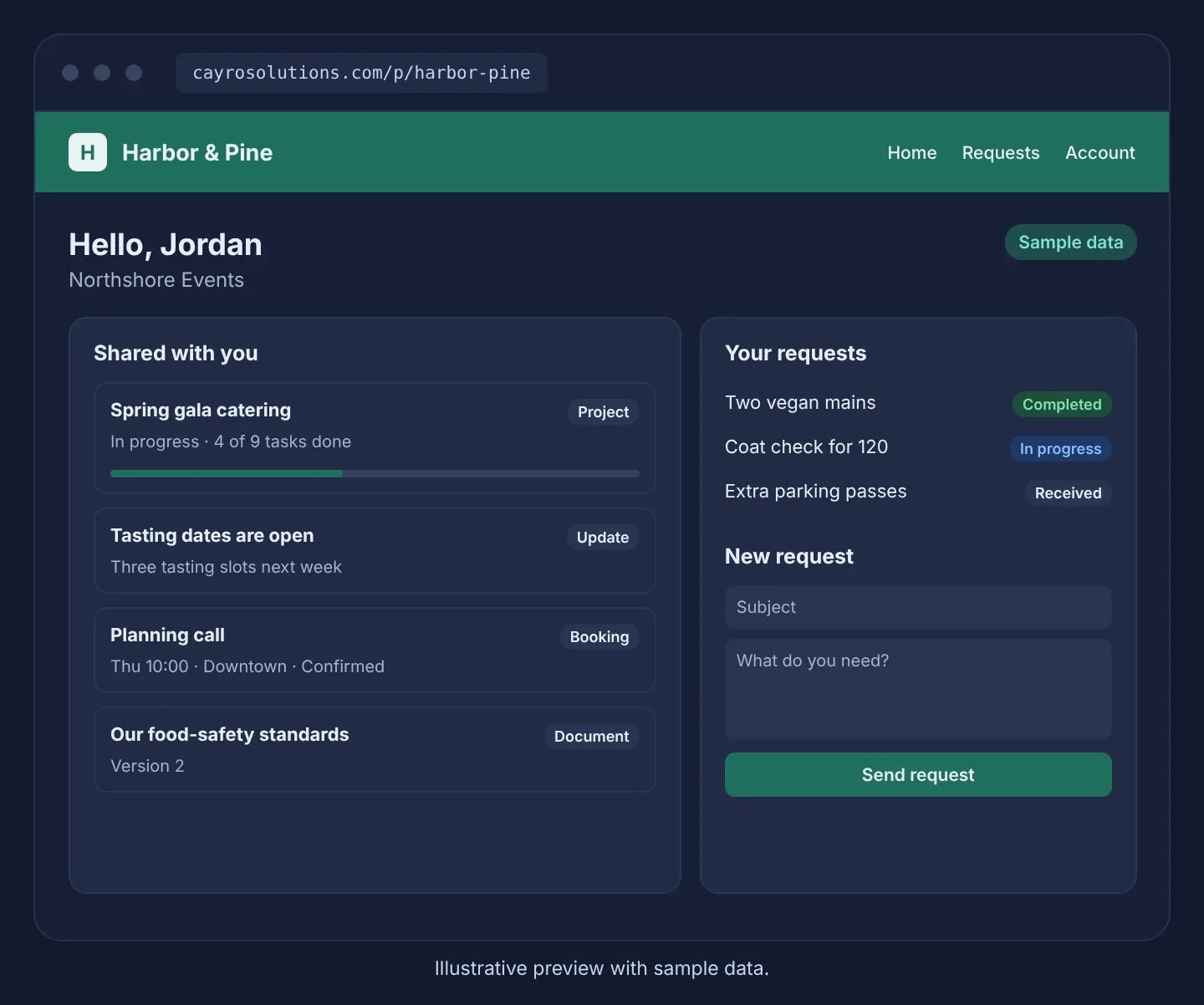
Give your clients a branded place to see updates, project status, bookings and documents, and to send you requests that land in Ops.
Cayro Portal · Client portal
How it works
- Step 1
Invite
Each client login belongs to one customer in Cayro Connect.
- Step 2
Share
Choose exactly which updates, projects, bookings and documents they see.
- Step 3
Hear back
Client requests become Ops tasks for your team.
- Step 4
Keep them posted
The request status updates as your team works the task.
What it can do
- Sign-in by password or emailed link, with optional two-step sign-in
- Each client sees only their own items, enforced in the database
- Shared project progress and milestones
- Documents from Docs, always the current version
- Photo and PDF attachments on requests
- Your logo, brand color and welcome message
Who it's for
Service businesses, agencies and contractors who want to keep clients informed and receive their requests in one place, instead of long email threads.
Related articles
Frequently asked questions
Can a client see other clients' information?
No. Each client login belongs to one customer, and the database only returns items shared with that customer.
Do clients get access to Cayro itself?
No. Client logins are separate from staff accounts and can only open the portal.
Can I use my own domain?
Not at the moment. The portal uses your logo and brand color at a Cayro address.