Projects from budget to finish line.
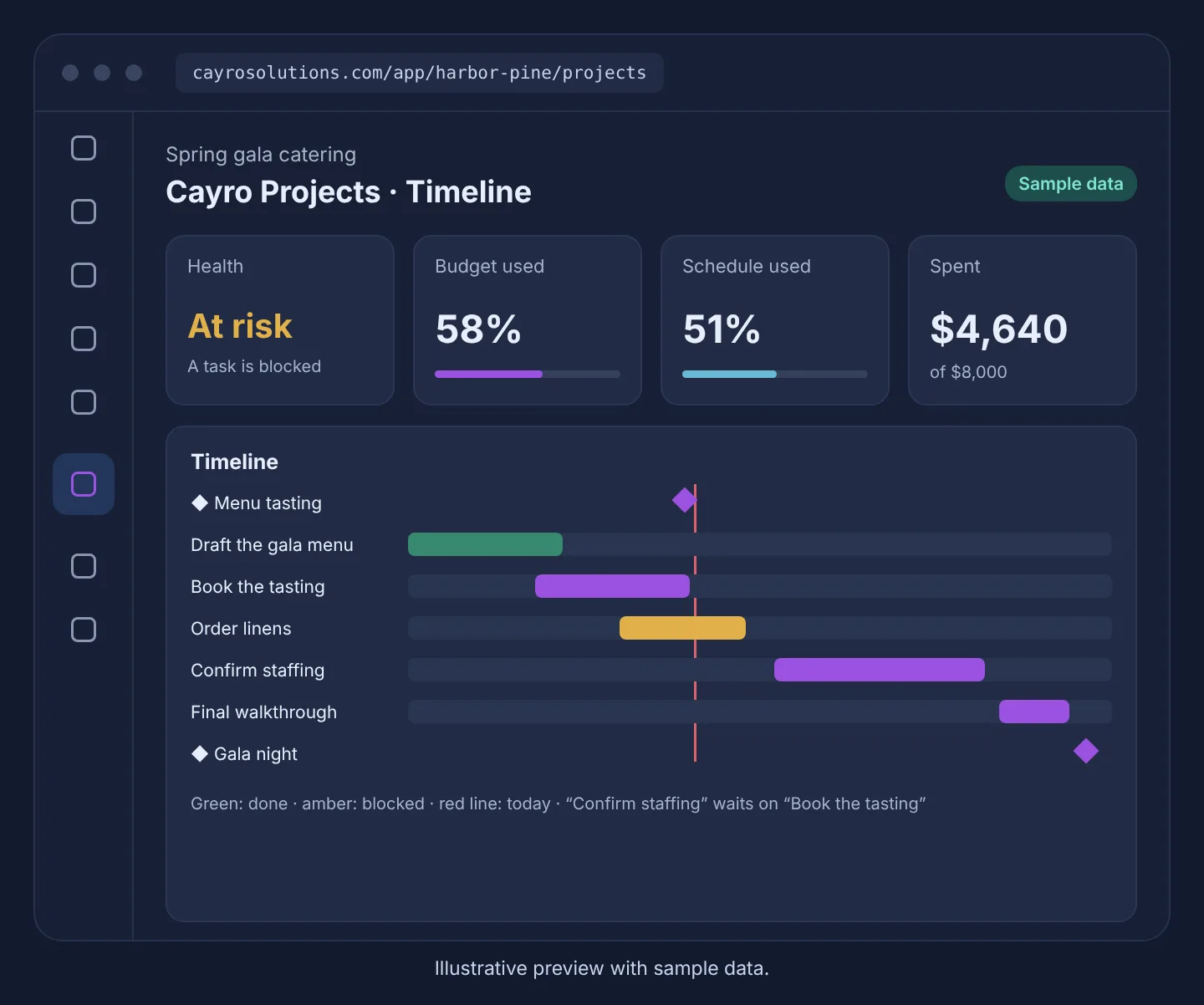
Milestones, tasks with dependencies, a board and a timeline, and a budget built from real time, expenses and purchase orders.
Cayro Projects · Project delivery
How it works
- Step 1
Plan
Start blank or from a template; add milestones and tasks.
- Step 2
Link the work
Tasks wait on the tasks they depend on.
- Step 3
Track spend
Log time at each person's rate, add expenses, link purchase orders.
- Step 4
See health
On track, at risk or late, with the reasons listed.
What it can do
- Board by status and a Gantt-style timeline
- Overdue and blocked work highlighted
- Budget used versus schedule used
- Rates are kept on each time entry, so history doesn't change
- Projects for a location or the whole company
- Costs visible only to people allowed to see them
Who it's for
Teams that deliver projects for customers or for themselves — fit-outs, events, renovations, launches — and need to keep time and money in view.
Related articles
Frequently asked questions
How is project health worked out?
Late if the project or a milestone is past due. At risk if over 90% of the budget is used, spending is well ahead of the schedule, a task is blocked, or a milestone is close with open tasks. The rule is shown on every project.
Where does the actual cost come from?
From logged time at each person's hourly cost rate, expenses, and linked Inventory purchase orders once approved. Nothing is estimated.
Can tasks depend on each other?
Yes. A task can wait on others and can't be marked done before them; circular dependencies are refused.